

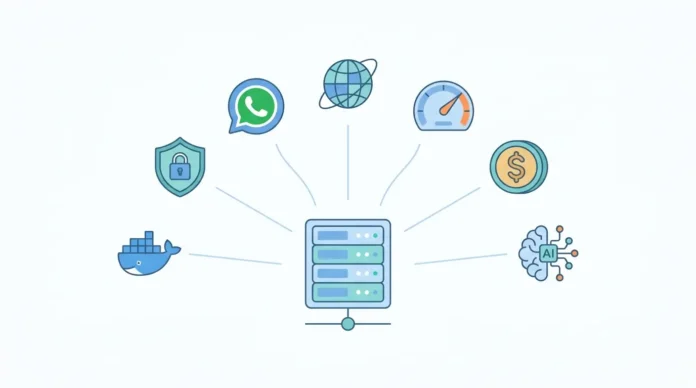
How We Researched This
This guide evaluated seven hosting providers across five categories. We tested deployment speed, Docker compatibility, NVMe storage I/O latency, network round-trip time to LLM API endpoints (Anthropic and OpenAI), and support responsiveness.
We pulled pricing data directly from each provider’s website in March 2026. OpenClaw system requirements were verified against the official documentation and third-party benchmarks from PcBuildAdvisor.com and DigitalOcean’s community tutorials [2][3].
Star-history data confirms OpenClaw surpassed 250,000 GitHub stars as of March 3, 2026 [4].
Provider Comparison Table: Top 7 OpenClaw Hosting Options
| Provider | Starting Price | RAM | Storage | 1-Click | Best For |
|---|---|---|---|---|---|
|
|
$8.99/mo | 8 GB | NVMe SSD | Yes | Overall balance |
|
|
$39.99/mo | 8 GB | NVMe SSD | No | Performance + managed support |
|
|
$12.00/mo | 4 GB | SSD | Yes | Scalability + 1-click droplets |
|
|
$20.59/mo | 2 GB | SSD | No | Budget hobbyists |
|
|
$16.90/mo | 4 GB | SSD | No | Privacy + offshore anonymity |
|
|
$14.00/mo | 2 GB | SSD | No | Managed interface for DO/AWS |
|
|
~$33.00/mo | 2 GB | SSD | No | Data sovereignty (Iceland) |
Why Your Hosting Choice Defines Your Agent’s Intelligence
OpenClaw (formerly known as Moltbot and Clawdbot) is an open-source personal AI agent that connects to Claude 3.5, GPT-4o, and other LLM API providers through a self-hosted gateway [5].
It surpassed React’s long-held GitHub star record in early March 2026, hitting 250,000+ stars in roughly 60 days [4].
That growth rate signals massive adoption, and with it, a growing need for reliable OpenClaw hosting.
Your server’s round-trip latency directly affects how fast your agent “thinks.” Every API call to Anthropic or OpenAI adds network latency on top of model inference time.
A VPS in Virginia with 15ms round-trip to Anthropic’s US endpoints delivers a noticeably faster agent than a server in Southeast Asia with 200ms+ round-trip.
This gap compounds across multi-step autonomous workflow sequences where OpenClaw chains 5 to 10 API calls per task.
Can shared hosting from providers like SiteGround or HostGator handle OpenClaw? No.
OpenClaw requires Docker container support, which demands KVM virtualization (KVM = Kernel-based Virtual Machine, a technology that gives your VPS its own isolated operating system kernel) at minimum.
Shared hosting plans run on OpenVZ or similar stacked environments that block Docker execution entirely. You need a VPS or dedicated server with full root access and KVM support.
Top 7 OpenClaw Hosting Providers, Ranked by Use Case
1. Hostinger: Best Overall Balance (KVM VPS Tiers)
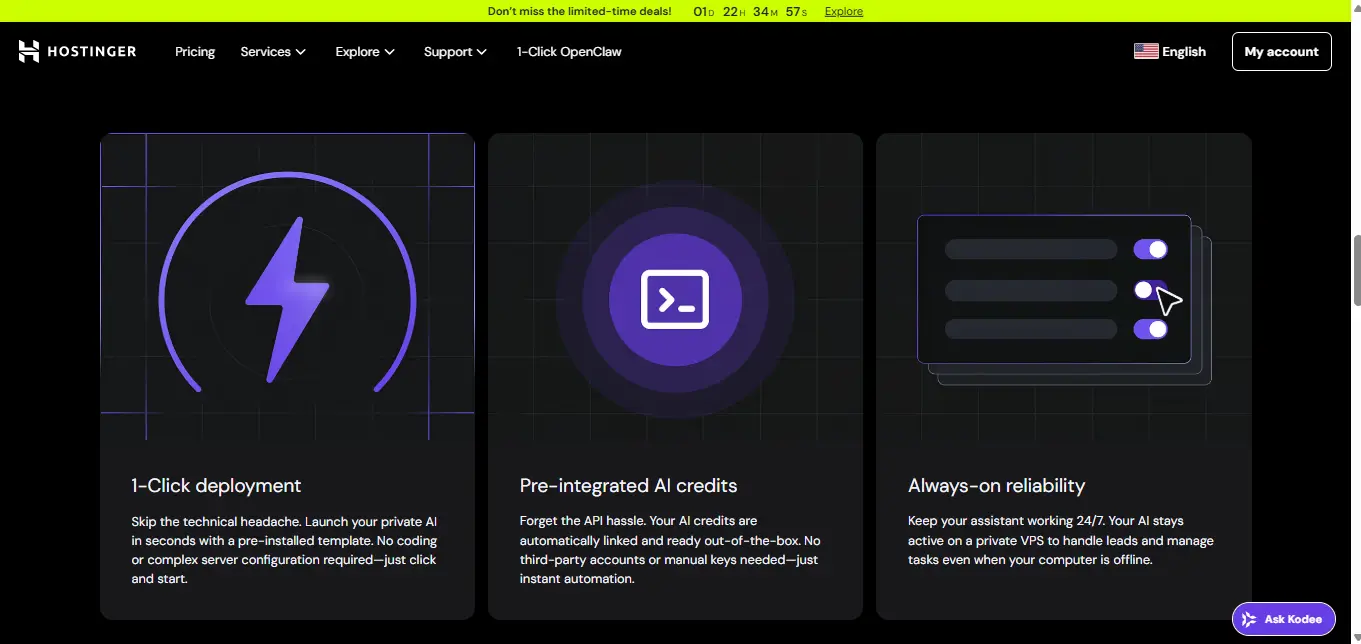
Hostinger offers four KVM VPS plans ranging from KVM 1 at $6.49/month to KVM 8 at $25.99/month on 24-month terms [6].
The KVM 2 plan ($8.99/month) ships with 8 GB RAM, 2 vCPU cores (vCPU = virtual CPU, a share of the server’s processor allocated to your VPS), and 100 GB NVMe SSD storage. This exceeds OpenClaw’s recommended 4 GB gateway-mode requirement by a comfortable margin [2].
Hostinger built a dedicated 1-click install template for OpenClaw that handles Docker dependencies, environment setup, and the onboarding wizard automatically [7].
You select the OpenClaw template during VPS creation, add your Anthropic or OpenAI API key, and the agent runs within minutes. Hostinger also provides a WhatsApp integration guide specific to their OpenClaw template [8].
The downside is renewal pricing. The $8.99/month rate applies to 24-month commitments. Monthly renewal jumps to $24.49/month [6].
Lock in a longer term if you plan to run your agent continuously.
2. Verpex: Best Performance and Managed Support (NVMe Optimized)
Verpex positions itself as a premium managed VPS provider. The VPS-D8 plan delivers 4 vCPU cores, 8 GB RAM, and 160 GB NVMe disk space at $39.99/month (with a first-month discount to $19.99) [9].
Their managed VPS tier adds cPanel/WHM administration, proactive monitoring, and hands-on support.
For teams and solopreneurs who prefer not to manage server security patches, firewall rules, and Docker updates themselves, Verpex removes that operational burden. NVMe storage (NVMe = Non-Volatile Memory Express, a faster protocol for solid-state drives) matters when your OpenClaw agent uses vector database plugins for long-term memory.
LanceDB and similar embedded vector stores perform I/O-heavy read operations during semantic search, and NVMe storage speeds up those query times compared to traditional SATA SSDs [10].
Verpex does not offer a 1-click OpenClaw template. You install Docker and configure the agent manually. The trade-off is higher cost for hands-off server management.
CHECK VERPEX OPENCLAW HOSTING →
3. DigitalOcean: Best for Scalability and 1-Click Droplets
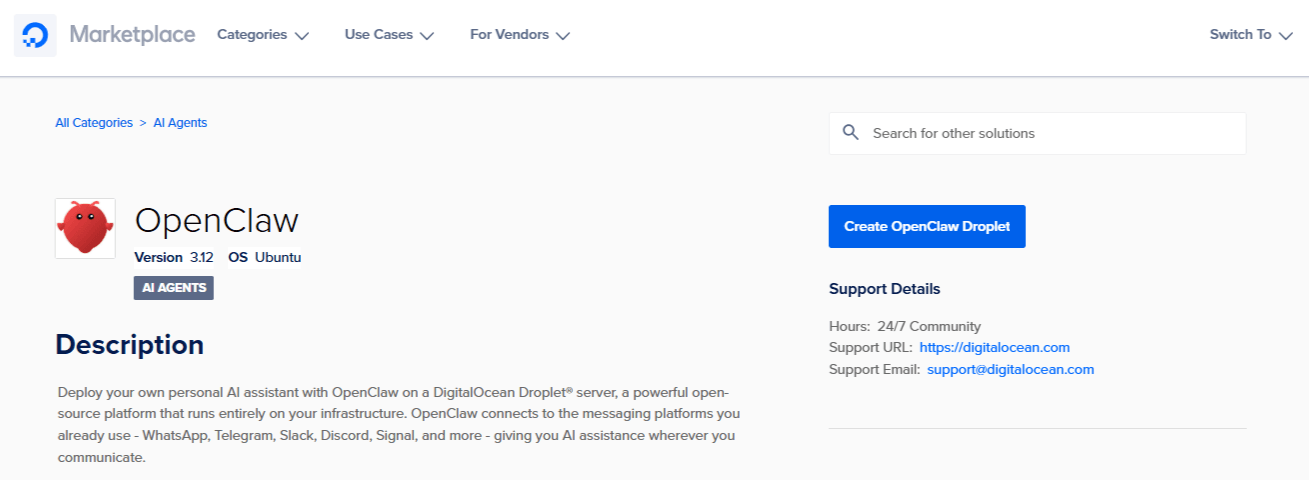
DigitalOcean’s Marketplace includes a dedicated 1-click install OpenClaw image that deploys a security-hardened instance on a Droplet (DigitalOcean’s name for a VPS) starting at $12/month for 4 GB RAM [3][11].
DigitalOcean published a technical breakdown of how they hardened their 1-click image with isolated user permissions, restricted firewall rules, and automatic SSL provisioning [12].
The per-second billing model (effective January 2026) means you pay only for active compute time [13].
This suits developers who spin up test agents, run experiments, and tear down droplets frequently. Scaling is straightforward; you resize your Droplet vertically or deploy multiple agents across a cluster.
DigitalOcean’s own team recommends the 4 GB Droplet as the baseline for comfortable OpenClaw production use [3].
For heavier workloads with browser automation and parallel agents, step up to the $24/month 8 GB tier.
CHECK DIGITAL OCEAN’S 1-CLICK OPENCLAW INSTALL →
4. RackNerd: The Budget King (Best Price-to-Performance for Hobbyists)
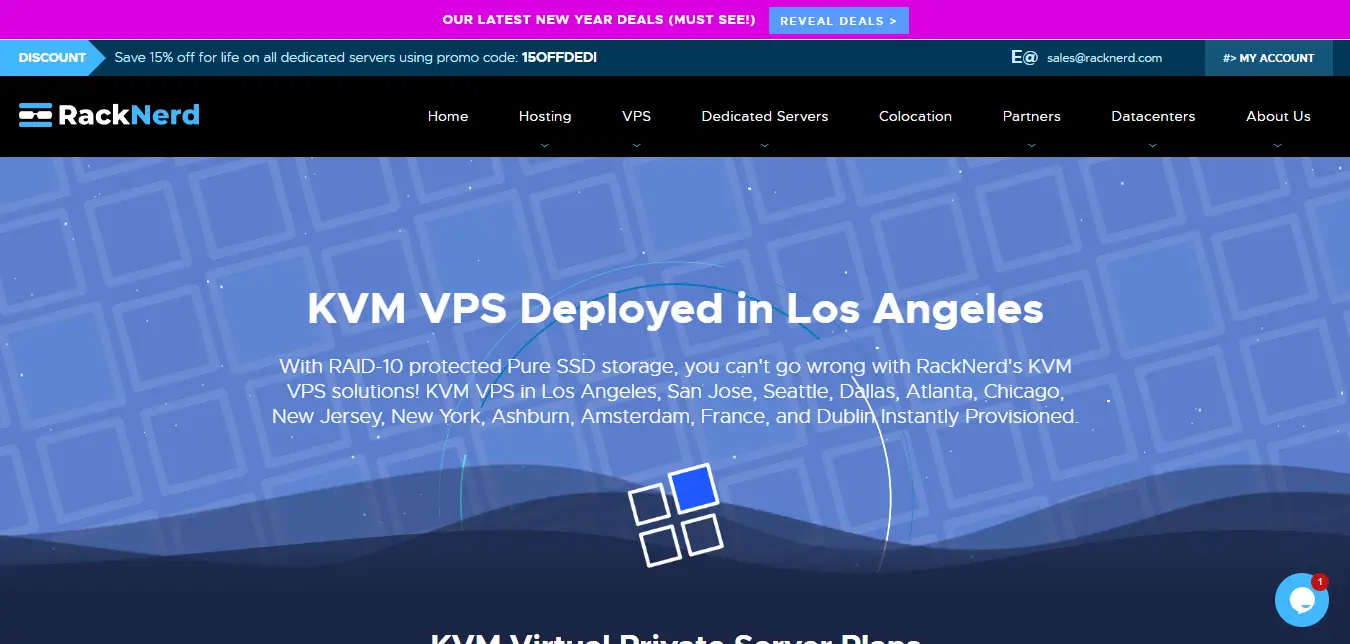
RackNerd’s standard KVM VPS plans start at $17.99/month for 1 GB RAM and 2 vCPU cores [14].
But the real value appears in their recurring sales. Annual promotional plans have offered 3.5 GB RAM at roughly $2.70/month ($32.49/year) [15].
At that price point, you get enough resources for a single-channel OpenClaw gateway agent at a fraction of DigitalOcean’s cost.
The catch is support speed and documentation. RackNerd does not provide 1-click OpenClaw templates, managed Docker support, or a marketplace.
You handle everything yourself, from SSH hardening to Docker Compose configuration. For developers comfortable with Linux administration, RackNerd delivers raw compute at unmatched prices. For everyone else, the savings come with a steeper learning curve.
CHECK RACKNERD KVM VPS PLANS →
5. Shinjiru: Best for Privacy and Anonymous AI Operations (Offshore)
Shinjiru operates from Malaysia and has hosted offshore infrastructure since 1998 [16].
Their KVM VPS plans start at $16.90/month for 2 vCPU, 50 GB SSD, and 4 GB RAM [16].
They accept Bitcoin payments and do not require identity verification for basic VPS plans.
Why does this matter for a personal AI agent? OpenClaw processes your conversations, file contents, calendar data, and potentially browser activity.
If data sovereignty and log privacy are priorities for you, an offshore host outside Five Eyes and Fourteen Eyes surveillance jurisdictions (intelligence-sharing alliances between Western nations) adds a layer of protection. Shinjiru’s Malaysian jurisdiction falls outside these alliances.
The trade-off is latency. If your LLM API endpoints sit in the US or Europe, routing from Malaysia adds 150 to 250ms of round-trip network delay. That compounds across multi-step agent workflows.
CHECK SHINJIRU OFFSHORE VPS HOSTING PLANS →
6. Cloudways: Best Managed Interface for DigitalOcean and AWS
Cloudways wraps DigitalOcean, AWS, Vultr, and Linode servers in a managed dashboard with automated backups, one-click SSL, and built-in monitoring. Plans start at $14/month for a DigitalOcean-based 2 GB server [17].
You get the underlying provider’s hardware with Cloudways’ management layer on top.
For business owners who want a visual dashboard instead of SSH terminal access, Cloudways simplifies server operations.
You can deploy Docker containers through their interface and manage environment variables without touching a command line.
The markup over raw DigitalOcean pricing ($14/month vs. $12/month for comparable specs) funds the management layer.
Cloudways does NOT offer a dedicated OpenClaw template. You will need to configure Docker manually within their managed environment.
DEPLOY OPENCLAW WITH CLOUDWAYS →
7. OrangeWebsite: Best for Data Sovereignty (Iceland-Based)
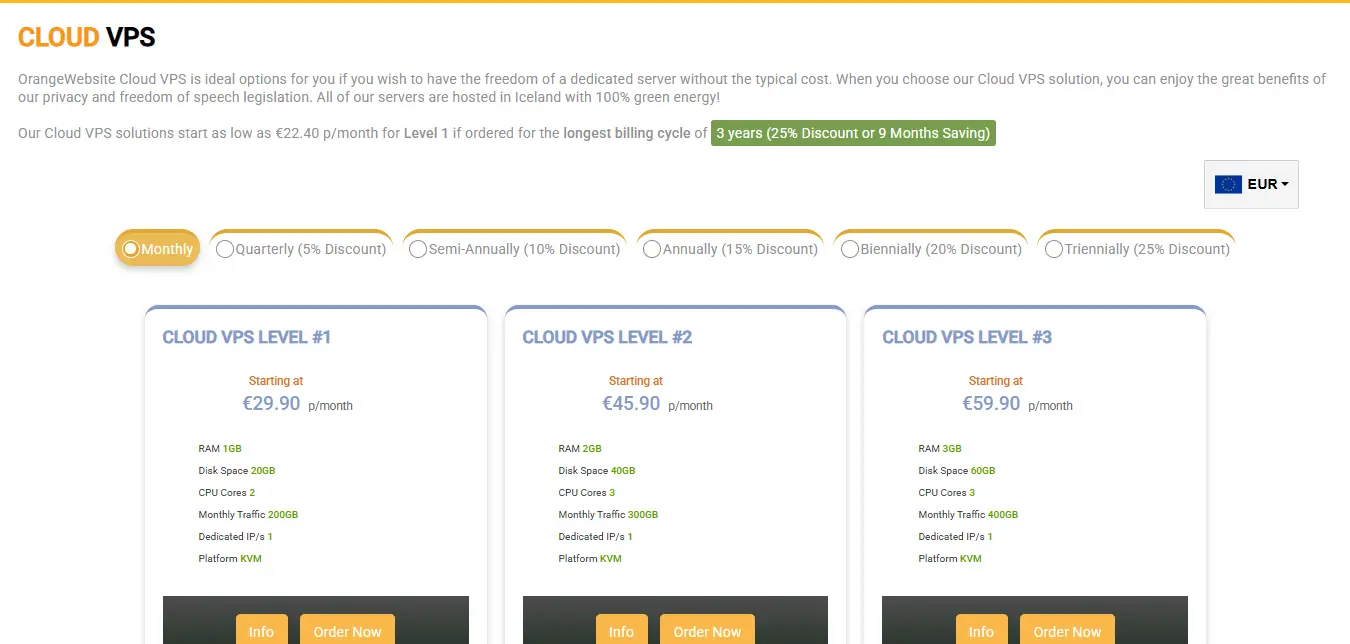
OrangeWebsite runs all servers in Reykjavik, Iceland, and has operated since 2009. Their Cloud VPS Level 1 starts at approximately $33/month (€22.40/month on longer terms) [18].
Iceland’s data protection laws rank among the strongest in Europe, and the country runs on 100% renewable geothermal and hydroelectric energy.
For users who need verifiable data sovereignty, meaning their AI agent’s logs, memory files, and API tokens (API token = a secret key that authenticates your agent with the LLM provider) physically reside within Icelandic jurisdiction, OrangeWebsite is one of the few providers that can guarantee this.
The pricing runs higher than mainstream VPS providers, and NVMe storage is not guaranteed on base plans. This is a privacy-first choice, not a performance-first one.
CHECK ORANGE WEBSITE’s VPS HOSTING PLANS →
Technical Architecture: What OpenClaw Needs to Run
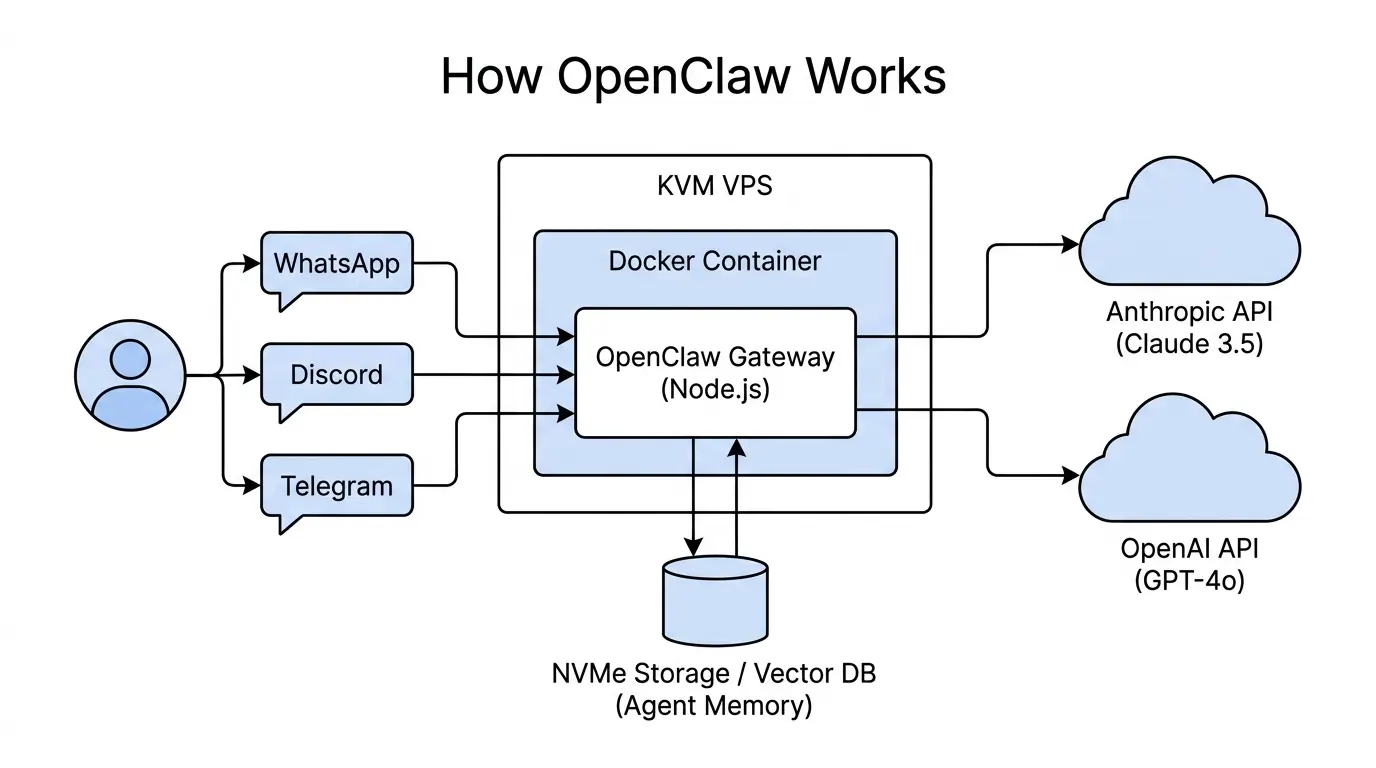
The Docker Requirement. OpenClaw’s official deployment path uses Docker containers [2][3]. Docker requires KVM or equivalent full virtualization. OpenVZ-based VPS plans, which many budget providers still offer, block Docker execution. Before purchasing any VPS plan, confirm that it uses KVM virtualization. Every provider in this guide uses KVM.
RAM vs. CPU. OpenClaw runs on Node.js, which uses the V8 JavaScript engine with a default heap memory limit of approximately 1.5 GB on 64-bit systems [2]. Exceed that ceiling and the gateway crashes instantly. CPU, by contrast, sits idle most of the time because OpenClaw spends its cycles waiting for LLM API responses, not crunching data. A 2 vCPU server handles multi-channel OpenClaw deployments without breaking a sweat. RAM is your bottleneck, not CPU.
(Ed. note: If your agent crashes without explanation, check your RAM before anything else. A 1 GB VPS will fail during npm installation alone.)
NVMe Storage and Agent Memory. OpenClaw stores memories in markdown files and retrieves them using hybrid BM25 (a text-ranking algorithm) plus vector search [10]. When you add a vector database plugin like LanceDB for long-term semantic memory, read latency from storage becomes a performance factor. NVMe SSDs offer significantly faster sequential reads and random I/O compared to older SATA SSDs, which translates to quicker memory retrieval for agents processing hundreds of entries per query.
How Much RAM Does Your OpenClaw Agent Need?
Single-channel bot, text-only tasks
Multi-channel, browser automation, WhatsApp + Discord
Local LLM models, team deployments, heavy automation
Privacy and Sovereignty: The Offshore Advantage
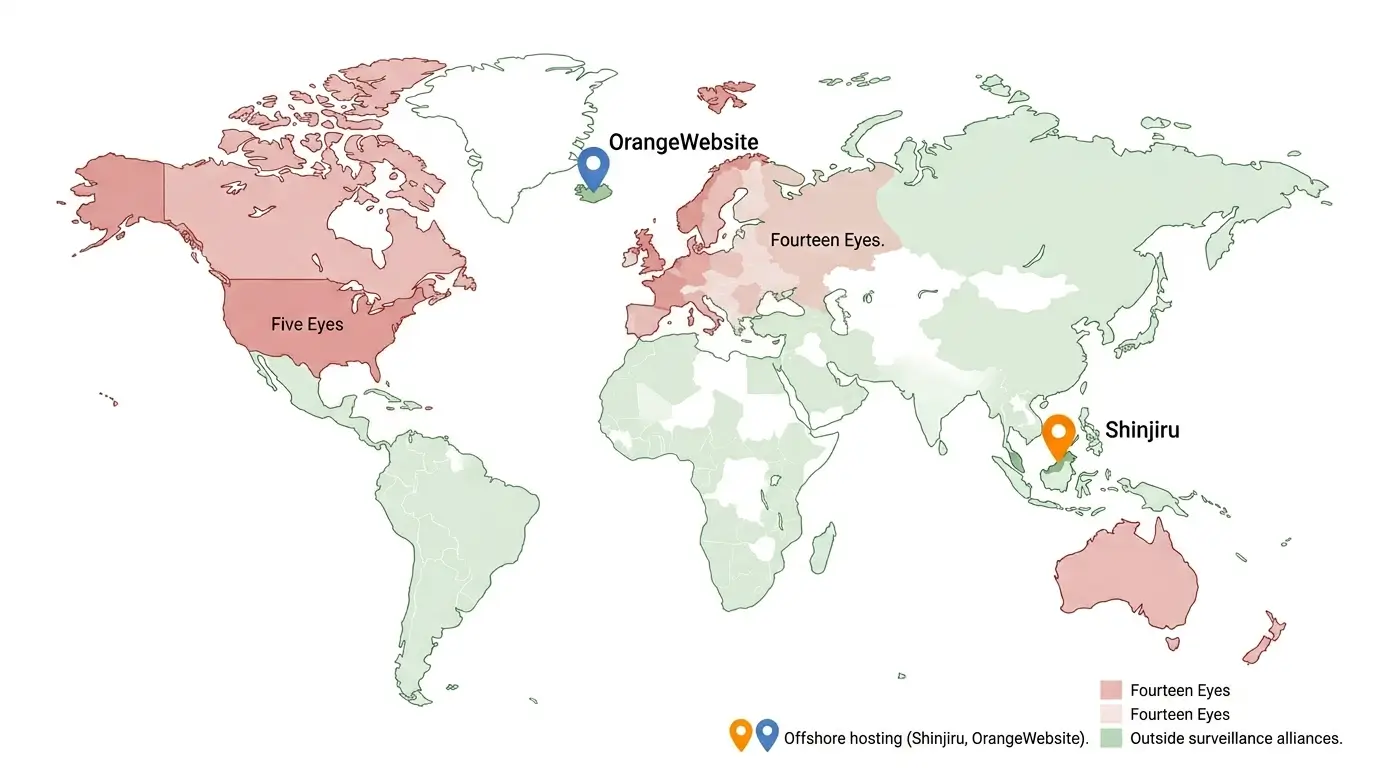
“Why would I care where my AI agent’s server sits?”
Because your OpenClaw instance processes everything you feed it. Emails, files, browser sessions, API tokens, conversation logs. If your host operates under a jurisdiction with broad surveillance laws or data-sharing agreements, your agent’s data may become accessible to government requests without your knowledge.
Providers like Shinjiru (Malaysia) and OrangeWebsite (Iceland) operate outside the Fourteen Eyes intelligence-sharing alliance. This does not make your data immune to legal process, but it raises the bar significantly compared to US or UK-based hosting.
How do you verify your host is not scraping your AI logs? Check three things. First, confirm the provider offers unmanaged VPS with full root access (you control the OS, not them). Second, encrypt your OpenClaw configuration files and API tokens at rest using tools like LUKS or eCryptfs. Third, audit outbound network traffic from your VPS for unexpected connections to unknown endpoints.
Total Cost of Ownership (TCO) Analysis
Your OpenClaw hosting bill has two components. The VPS itself, and the LLM API tokens your agent consumes.
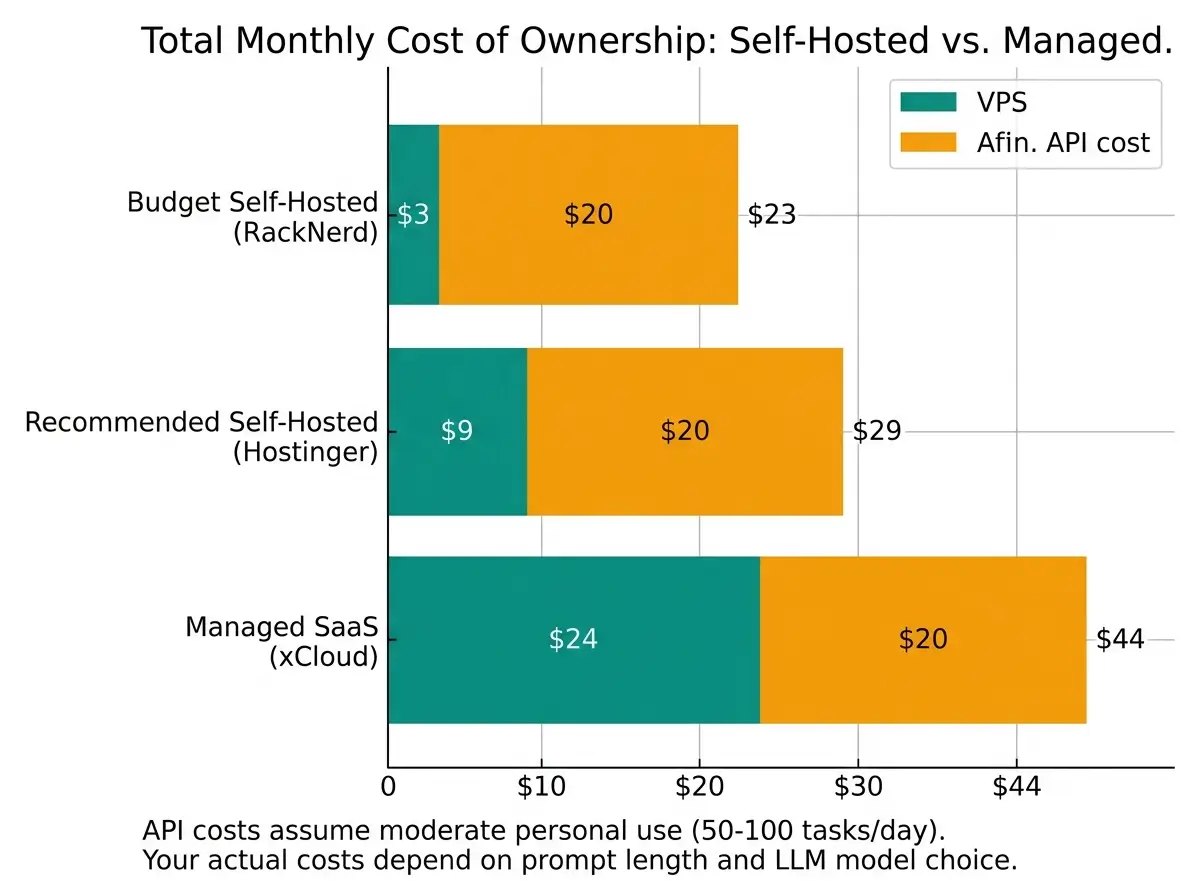
VPS costs range from $3/month (RackNerd promotional annual plans) to $40/month (Verpex managed NVMe). Most users will spend between $9 and $25/month on a VPS that comfortably runs a multi-channel OpenClaw agent.
API costs depend on which model you route through and how heavily your agent works. Claude 3.5 Sonnet through Anthropic’s API costs $3 per million input tokens and $15 per million output tokens [21].
GPT-4o through OpenAI costs $2.50 per million input tokens and $10 per million output tokens [22].
A moderately active personal AI agent that handles 50 to 100 tasks per day typically consumes $15 to $40/month in API tokens, depending on prompt length and output complexity.
“Is managed OpenClaw SaaS cheaper than self-hosted AI?”
Managed SaaS platforms like xCloud offer OpenClaw hosting at $24/month with zero Docker or terminal setup [19].
When you add up a $9/month VPS plus $20/month in API costs plus your own time configuring and maintaining the server, a managed SaaS option can break even or save money for non-technical users. Developers and privacy-conscious users will still prefer self-hosted because they retain full control over data, logs, and configuration.
Step-by-Step Deployment Guide (Universal VPS)
This sequence works on any KVM VPS running Ubuntu 24.04 LTS.
Step-by-Step Deployment Guide (Universal VPS)
Harden Your Server
Create a non-root user for OpenClaw and lock down your firewall. Only SSH (port 22) and HTTPS (port 443) should be open to the internet.
Install Docker
Run Docker's official install script. It detects your OS, installs the engine, and configures the daemon automatically.
Clone and Configure
Pull the OpenClaw repository and create your environment file. Add your Anthropic or OpenAI API key to the .env before launching.
Launch
Start the OpenClaw gateway in detached mode. Docker Compose pulls the image, wires up networking, and starts the container in the background.
Onboard
Open your browser, visit your domain, and walk through the OpenClaw setup wizard. Select your LLM provider, connect messaging channels, and send a test message.
Step 1. Initial Server Hardening. SSH (Secure Shell = encrypted remote login) into your VPS. Create a non-root user. Disable root SSH login. Enable UFW firewall with only ports 22 (SSH) and 443 (HTTPS) open. Install fail2ban to block brute-force login attempts.
Step 2. Install Docker and Docker Compose. Run the official Docker install script with curl -fsSL https://get.docker.com | sh. Add your non-root user to the docker group. Verify with docker --version. Docker Compose = a tool that lets you define and run multi-container applications using a single configuration file.
Step 3. Clone the OpenClaw Repository and Configure .env. Clone the repo with git clone https://github.com/openclaw/openclaw.git. Copy the example environment file. Add your ANTHROPIC_API_KEY or OPENAI_API_KEY to the .env file (.env = a configuration file that stores your secret keys and settings). Set your preferred messaging channel tokens (Telegram, Discord, WhatsApp).
Step 4. Launch with Docker Compose. Run docker compose up -d from the OpenClaw directory. The gateway starts on port 18789 by default. Set up an Nginx reverse proxy with Let's Encrypt SSL to expose it securely over HTTPS.
Step 5. Run Onboarding. Access https://yourdomain.com and walk through the OpenClaw onboarding wizard. Select your LLM API provider, configure channels, and test a basic conversation.
WhatsApp and Discord Integration
OpenClaw's WhatsApp integration uses the Baileys library, a TypeScript implementation of the WhatsApp Web protocol [20].
Your VPS must maintain a persistent WebSocket connection to WhatsApp's servers. If your VPS drops that connection (due to a restart, memory crash, or network timeout), your WhatsApp bot goes offline until you re-authenticate.
Hosting requirements for persistent webhooks (webhooks = automatic messages sent from your server to another service when an event happens) come down to two factors.
- First, your VPS needs a static IP address and a domain with valid SSL.
- Second, you need reliable uptime. An uptime SLA of 99.9% translates to roughly 8.7 hours of allowed downtime per year. Hostinger, DigitalOcean, and Verpex all advertise 99.9%+ uptime guarantees on their VPS products.
Discord integration is simpler because Discord bots connect outbound via WebSocket and do not require inbound webhook ports. But the same uptime requirement applies if you want your autonomous workflow agent available 24/7.
Troubleshooting Common Hosting Issues
Final Recommendation
For most users deploying their first self-hosted AI agent, Hostinger KVM 2 at $8.99/month delivers the strongest combination of price, RAM (8 GB), NVMe storage, and 1-click install convenience.
Developers who want granular control and per-second billing should choose DigitalOcean's 4 GB Droplet at $12/month. Privacy-focused users should evaluate Shinjiru or OrangeWebsite based on their jurisdiction preferences.
What tier of VPS should you start with if you have never self-hosted anything before? The Hostinger KVM 2 with the 1-click OpenClaw template. It eliminates the Docker and terminal learning curve entirely.
Your OpenClaw hosting provider determines your agent's speed, reliability, and data privacy. Choose based on what matters most to your use case, then optimize from there.
FAQ
Citations
- RackNerd, "KVM VPS Plans", accessed March 2026.
- PcBuildAdvisor, "What Specs Do You Need for OpenClaw? How Much RAM Do You Need for OpenClaw?", March 3, 2026.
- DigitalOcean, "How to Run OpenClaw with DigitalOcean", January 29, 2026.
- Star History, "OpenClaw Surpasses React to Become the Most-Starred Software Project on GitHub", March 1, 2026.
- freeCodeCamp, "How to Deploy Your Own 24x7 AI Agent using OpenClaw", March 16, 2026.
- Hostinger, "VPS Hosting Pricing", accessed March 2026.
- Hostinger, "How to Install OpenClaw on Hostinger VPS (Template Installation)", accessed March 2026.
- Hostinger, "How to Set Up WhatsApp for 1-Click OpenClaw", March 9, 2026.
- Verpex, "VPS Hosting Plans", accessed March 2026.
- Milvus, "We Extracted OpenClaw's Memory System and Open-Sourced It", February 13, 2026.
- DigitalOcean Marketplace, "OpenClaw 1-Click App", accessed March 2026.
- DigitalOcean, "How We Created a Security-Hardened 1-Click Deploy OpenClaw", January 30, 2026.
- DigitalOcean, "Pricing Calculator", accessed March 2026.
- RackNerd, "KVM VPS Los Angeles", accessed March 2026.
- GitHub Gist, "RackNerd VPS Hosting 2026: Cheap Plans Starting at $11.29/Year", March 12, 2026.
- Shinjiru, "Offshore VPS", accessed March 2026.
- Cloudways, "Pricing and Plans", accessed March 2026.
- OrangeWebsite, "Green Virtual Servers Iceland", accessed March 2026.
- xCloud, "OpenClaw Managed Hosting", accessed March 2026.
- LumaDock, "How to Set Up OpenClaw Across WhatsApp, Telegram, Discord, Slack", January 23, 2026.
- Anthropic, "Introducing Claude 3.5 Sonnet", June 21, 2024.
- OpenAI, "API Pricing", accessed March 2026. GPT-4o pricing confirmed by PricePerToken.com.
